
Telesim IPTV Player
FinnciTools
4.6611.00 Reviews
- Version
- 1.9.4
- Installs
- 100.00K
- Age Rating
- Teen
Screenshots
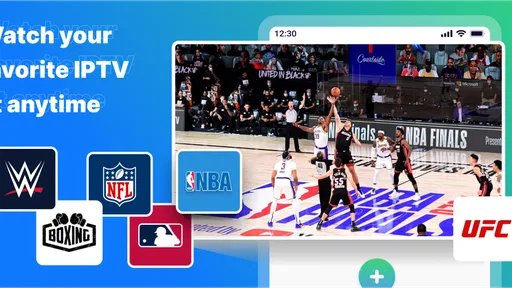
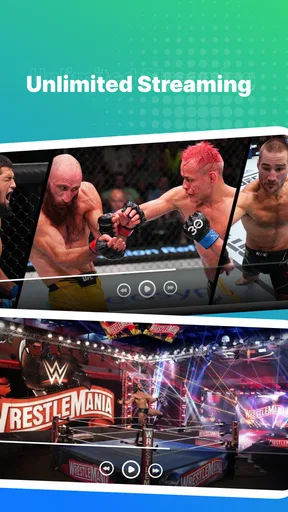
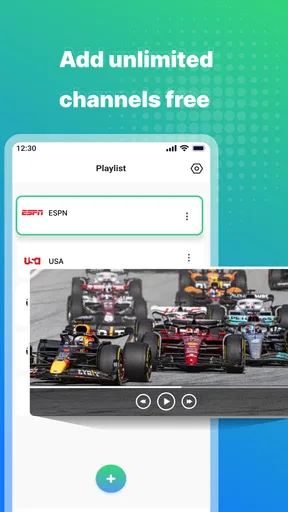
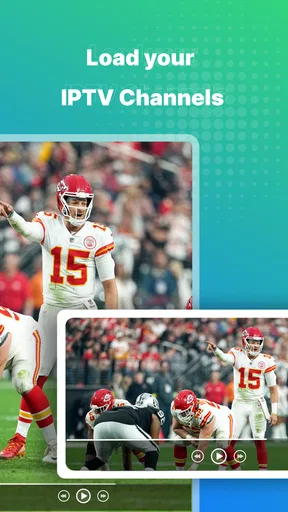
Our Review of Telesim IPTV Player
 Analysis by Appyee
Ever found yourself flipping through endless TV channels only to realize there's nothing good on? Well, that's where the Telesim IPTV Player swoops in to save the day. Let me take you on a little journey through this app that promises to put all your favorite shows and movies right at your fingertips.
Getting Started with Telesim IPTV Player
Diving into the world of Telesim IPTV Player is pretty straightforward. First things first, you'll need an IPTV subscription. Once you've got that sorted, download the app from the Play Store or App Store, and you’re ready to roll. Setting it up is a breeze, thanks to its clean and intuitive interface. I was pleasantly surprised at how quickly I was able to navigate through the settings and get everything up and running.
User Interface and Experience
Now, let's chat about the look and feel. The app's design is sleek, with a modern touch that makes it easy on the eyes. I found the layout to be super user-friendly, especially for someone like me who’s not the most tech-savvy. The menus are logically arranged, making it easy to find what you’re looking for without breaking a sweat.
One of the standout features is the EPG (Electronic Program Guide), which is a game-changer when it comes to planning your viewing schedule. No more missing your favorite shows or struggling to remember timings—the EPG has got you covered.
Performance and Features
Performance-wise, the app is pretty solid. Streaming quality is top-notch, and I didn’t experience any major buffering issues, even while switching between channels. This is a major plus, especially if you’re tired of those pesky interruptions that seem to plague other platforms.
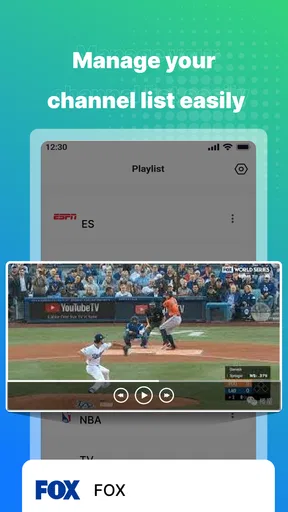
Another cool feature is the ability to create personalized playlists. You can list your favorite channels or shows for quick access. Trust me, it makes binge-watching sessions so much easier when you don’t have to constantly search for what you want to watch.
Compatibility and Accessibility
Telesim IPTV Player is versatile when it comes to device compatibility. Whether you’re on Android, iOS, or even using a smart TV, this app has got you covered. Plus, with support for multiple languages, it’s accessible to a broader audience, which is always a win in my book.
For those who love to multitask, the app’s PIP (Picture in Picture) mode is a blessing. You can watch your favorite show while checking emails or surfing the web—it's all about maximizing your viewing experience.
Final Thoughts
So, is the Telesim IPTV Player worth downloading? In my opinion, absolutely. It combines functionality with simplicity, making it an ideal choice for anyone looking to streamline their TV-viewing experience. While it does require an IPTV subscription, the features and user experience more than justify this.
All in all, if you’re on the hunt for a reliable IPTV player that won’t let you down, give Telesim a shot. It might just become your new go-to app for all things television.
Verdict
Strengths of Telesim IPTV Player
- User-friendly interface for easy navigation.
- Supports multiple video formats seamlessly.
- High-quality streaming with minimal buffering.
- Customizable playlist for personalized viewing.
- Quick and easy setup process.
Limitations of Telesim IPTV Player
- Limited free features, premium version needed.
- Occasional ads can disrupt viewing experience.
- No offline viewing option available.
- Requires stable internet for optimal performance.
- Limited customer support options.
Similar Picks in This Category
View All
Google LLC4.0

Gboard - the Google Keyboard
Google LLC4.5

Google Play services
Google LLC4.3

Google Play Store
Google LLC4.9

Files by Google
Google LLC4.5

SHAREit: Transfer, Share Files
Smart Media4U Technology Pte.Ltd.4.3
Frequently Asked Questions
What is Telesim IPTV Player and how does it work?
Telesim IPTV Player is a versatile application that allows users to stream live TV channels, movies, and series from IPTV providers. By importing an M3U playlist or adding an IPTV server URL, users can access a wide range of content directly on their Android or iOS devices. It provides a seamless viewing experience with features like EPG support, HD streaming, and user-friendly navigation.
Is Telesim IPTV Player free to use, or are there any subscription fees?
Telesim IPTV Player itself is free to download and use. However, it does not provide any content such as TV channels or movies. Users need to have their own IPTV subscription from a third-party provider to access content. Some features may require in-app purchases for an enhanced experience, such as removing ads or accessing premium features.
What kind of content can I stream using Telesim IPTV Player?
With Telesim IPTV Player, you can stream a wide variety of content including live TV channels, movies, and TV series. The app supports multiple formats and offers features like Electronic Program Guide (EPG) for channel schedules, allowing you to browse and watch content seamlessly. Content availability depends on your IPTV provider.
Can I use Telesim IPTV Player on multiple devices?
Yes, Telesim IPTV Player can be installed on multiple devices as long as they are compatible with the app. Users can download it on both Android and iOS platforms. However, simultaneous streaming may depend on the terms of your IPTV provider’s subscription, so it’s best to check with them regarding multi-device usage.
Is Telesim IPTV Player legal to use?
Telesim IPTV Player is legal to use as it is simply a media player. However, the legality of the content you stream depends on your IPTV provider and the content rights in your region. It is crucial to ensure that you use legitimate IPTV services that have the proper licenses to distribute the content, to avoid any legal issues.
